GirlfriendGPT starts with her name and then walks you through style, looks, personality and relationship. We named ours Rika Valen and went through every screen on a Premium account.
 By Wren Ashby
Type a name, choose Anime, then ethnicity, age group (pick 20s or 30+), eyes, hair, body, personality and relationship. Creating characters is part of Premium, from $12 a month on the yearly plan; the portrait uses coins.
GirlfriendGPT is known for its community scenarios, but its own builder is a clean, linear flow: one topic per screen, a progress line at the top, a summary before the portrait. It suits readers who want to write a story around their character, because the personality and relationship screens set the tone of the first scene.
This guide follows each screen with the screenshot we took, then covers what to do once she exists, three recipes, the costs in US dollars and the usual problems.
We built Rika Valen on a Premium account. The screenshots below were taken along the way, and we flag the two screens where you should be careful with the options offered.
You need an account: email with a password, Google or Discord. Creating characters and unlimited image generation are Premium features; the free account gives a short chat trial with community characters.
Premium costs $15 a month, or $12 a month billed yearly, with 5,000 messages and 400 coins a month. The portrait at the end of the builder uses coins from that balance.
Two screens offer options this site does not cover, an age group and some relationship types. Choose the 20s or 30+ group and adult relationships; we explain below.
Finally, think about the world before the looks. On GirlfriendGPT the best characters are the ones with a setting, so decide where she lives and what she wants; the looks then follow naturally.
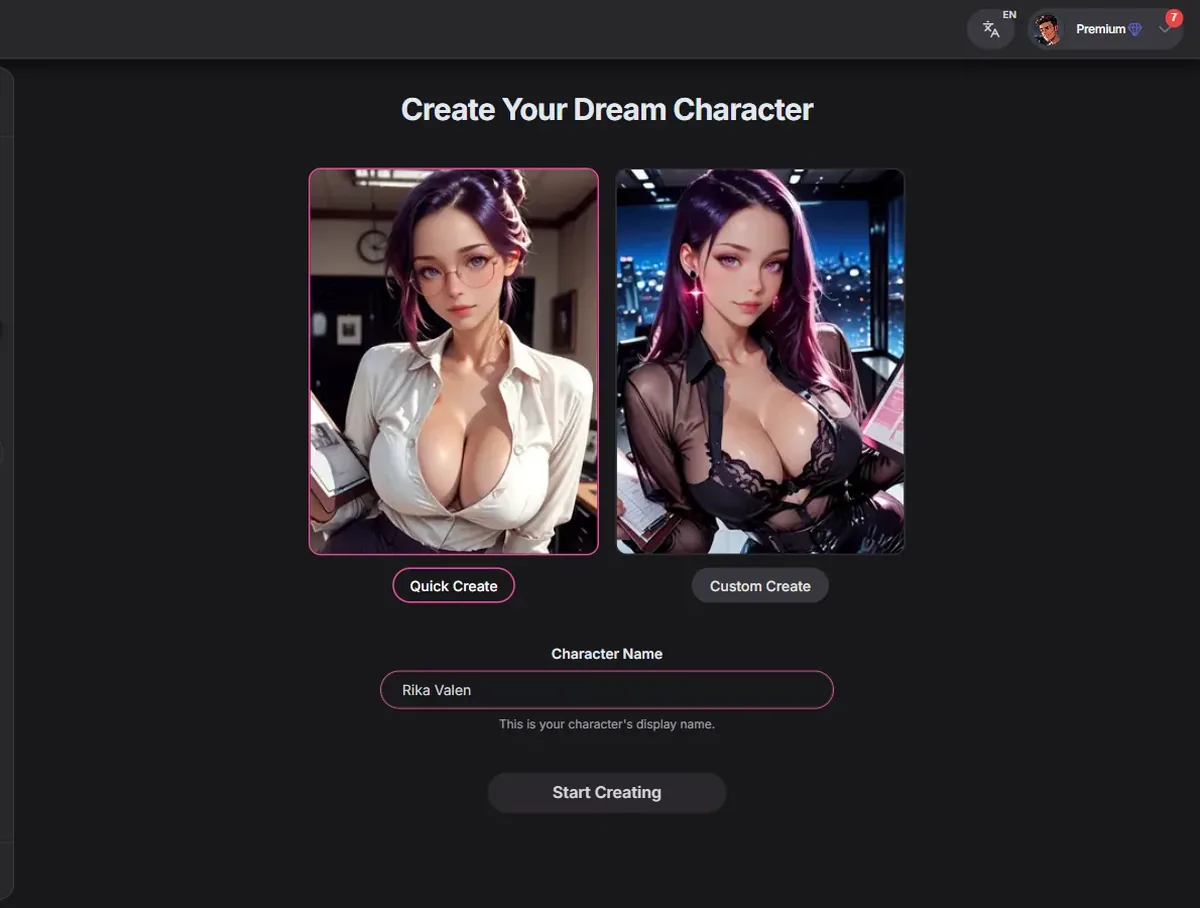
Open Create Character from the left menu. The screen Create Your Dream Character shows two sample portraits and a Character Name field with a suggestion. Type your own name or keep it, then press Start Creating.
The name matters more here than elsewhere, because GirlfriendGPT characters tend to play long scenarios and the name comes back in every reply.
Tip: pick a name that fits the world you have in mind, a fantasy name for a mage, a modern one for a coworker.
The two sample portraits on this screen are only decoration; they do not preset anything. Everything about her comes from the next screens.
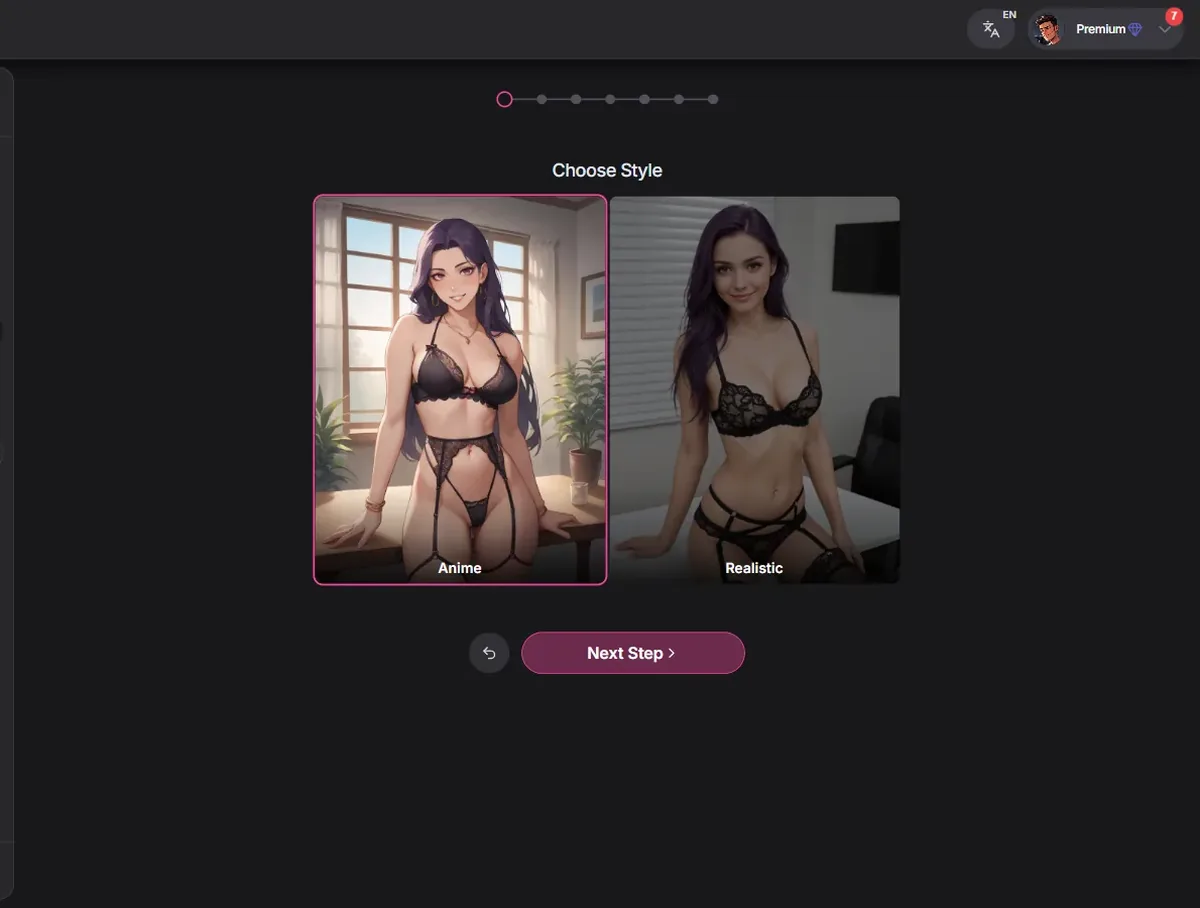
Two cards: Anime and Realistic. Click Anime, then Next Step. Every preview after this is drawn.
If you want both styles, build two characters; the style shapes every preview and the final portrait.
Tip: the anime previews here are a good indication of the final portrait's style: clean lines and soft shading.
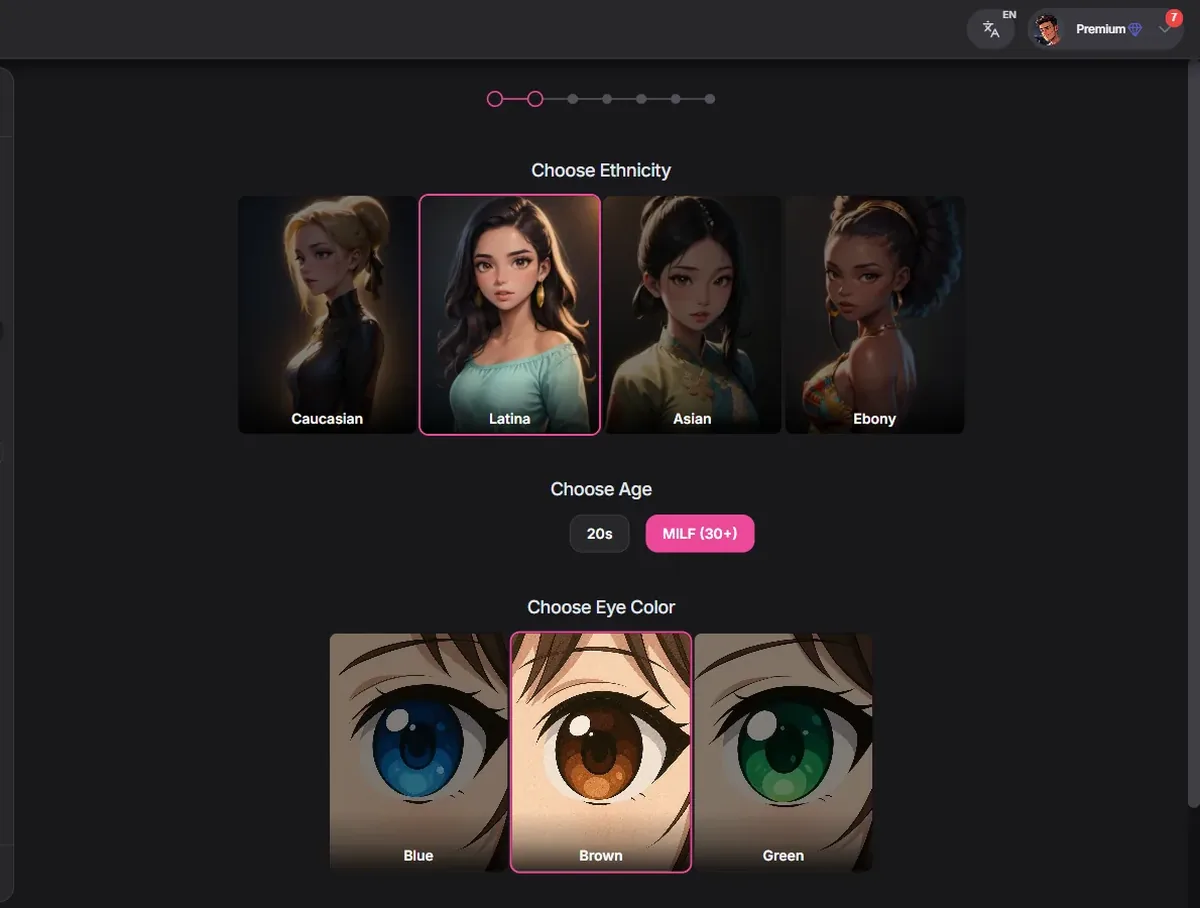
One screen with three questions: ethnicity (Caucasian, Latina, Asian, Ebony), age group and eye color (Blue, Brown, Green). Each answer is a button.
For the age group, choose 20s or MILF (30+). We always pick an adult group, and we skip any option that suggests a younger character. That keeps the character, and every picture of her, clearly adult.
Tip: the 30+ group works well for confident roles, a guild master, a captain, a mentor.
Eye color only offers three choices here, fewer than other builders. If you want red or golden eyes for a fantasy character, write it in her description once she exists; the chat and the picture requests will follow it.
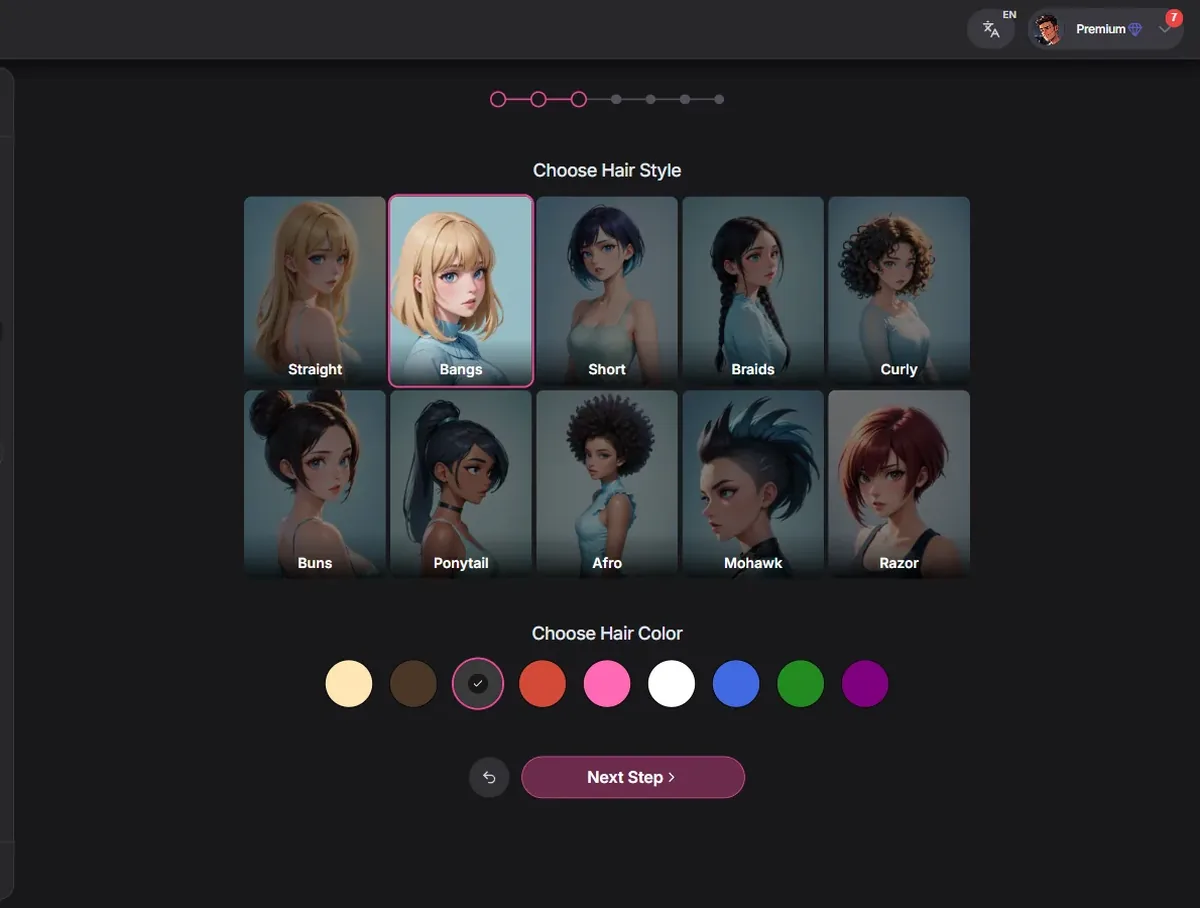
Ten hair styles: Straight, Bangs, Short, Braids, Curly, Buns, Ponytail, Afro, Mohawk and Razor, then a hair color from a row of swatches.
The swatches have no labels, so look at the preview to confirm the color. Long straight hair suits an elegant mage; a ponytail an adventurer; braids a gentle healer.
Tip: hair is the quickest way to signal her role in a fantasy story. A mage with a long braid, a knight with short hair, a pirate with wild curls: readers of your story picture her at once.
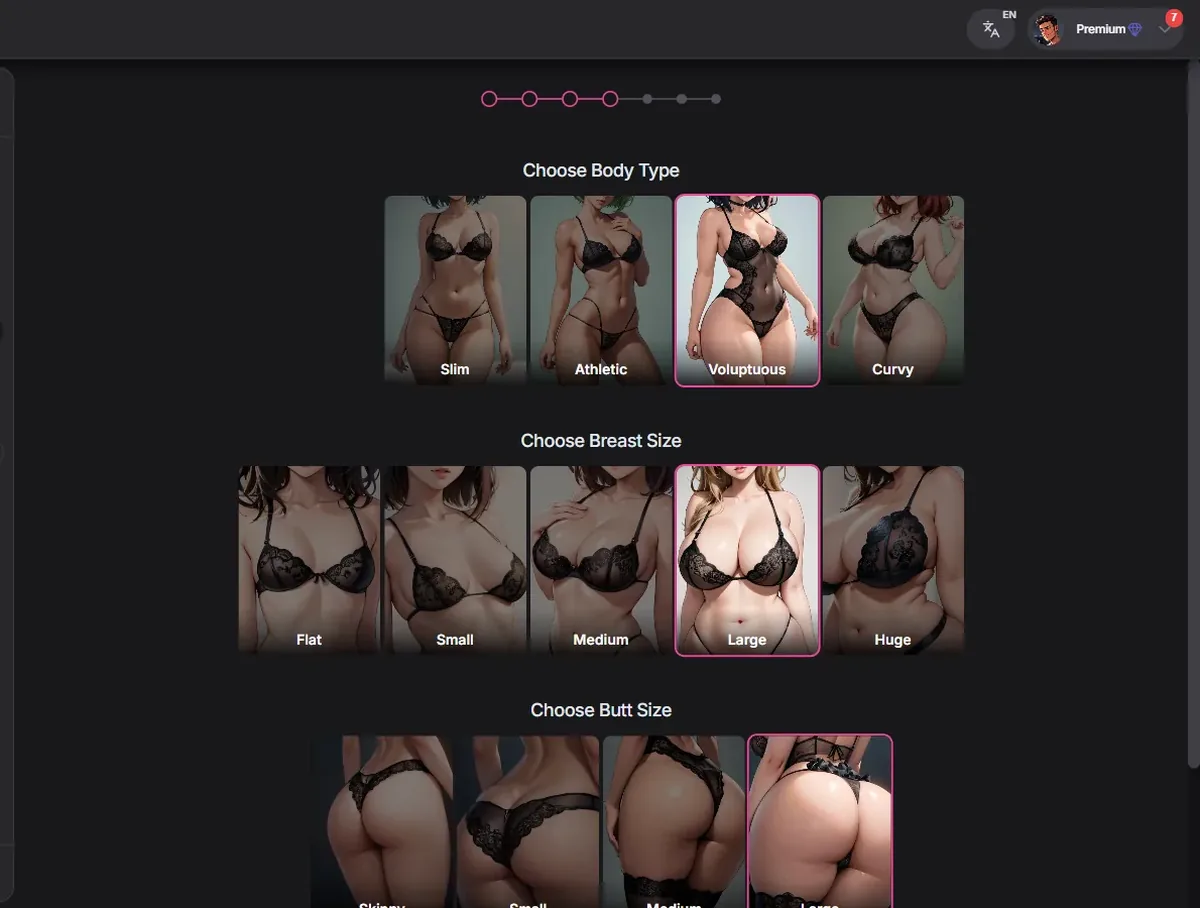
Body type (Slim, Athletic, Voluptuous, Curvy), breast size and butt size, three rows that all need a choice before Next Step unlocks.
Pick the body for the character's role: Athletic for a fighter, Voluptuous or Curvy for a confident tavern keeper, Slim for a scholar.
Tip: if Next Step stays disabled, one of the three rows has no selection yet; scroll down, the butt size row sits below the fold on smaller screens.
The body previews are shown in underwear, as on most builders; they stay covered and only serve to compare proportions.
Two screens set the tone: a personality (Romantic, Royalty, Submissive, Femdom and others) and a relationship (Girlfriend, Wife, Stranger, Fling, Friend, Mistress, Mentor, Colleague, Best Friend and more). Choose adult relationships; we skip the family and school ones.
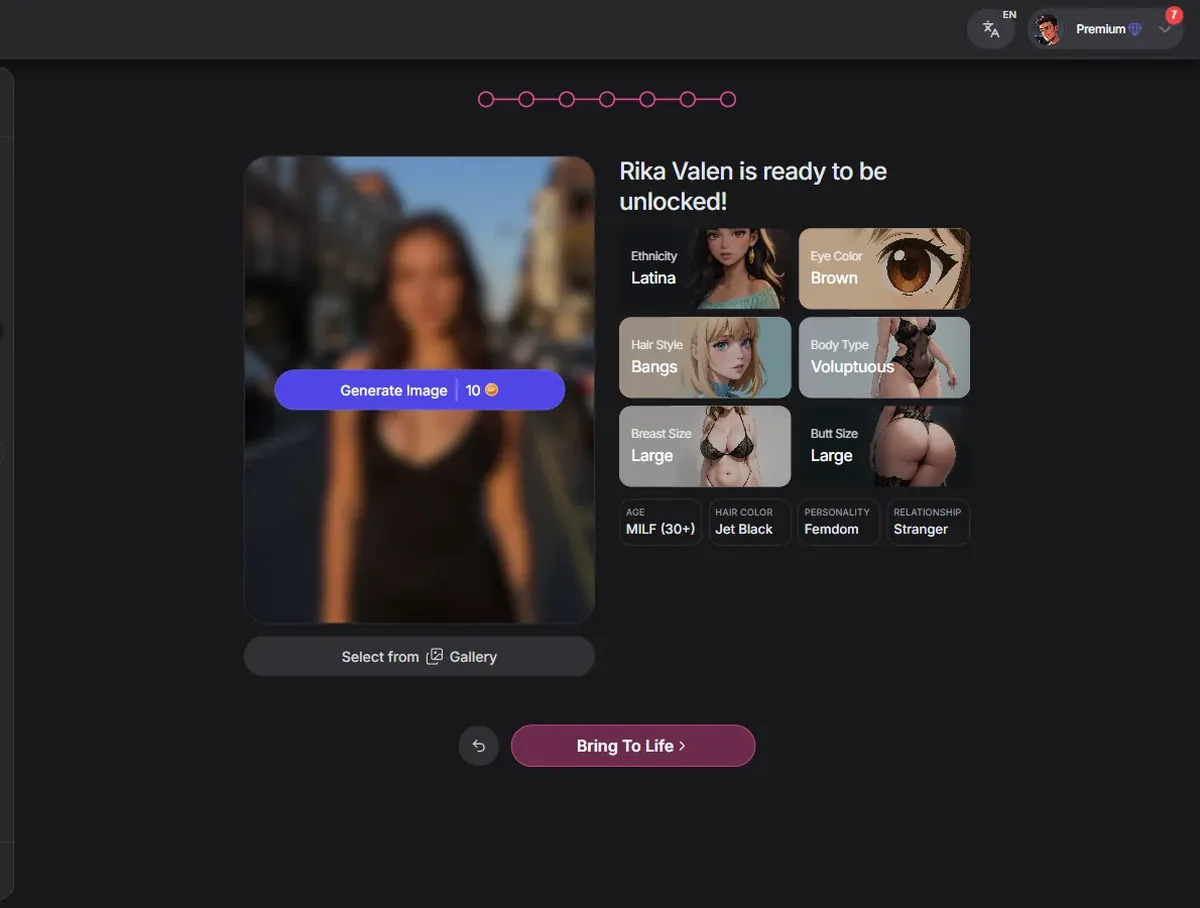
A summary then shows her settings next to a preview and a button to bring her to life, which generates the portrait with coins. In our test the summary showed Rika Valen with her choices before generation.
Tip: Romantic plus Mentor or Colleague gives a slow-burn story; Royalty plus Stranger a fantasy court intrigue.
Take your time on the summary. It is the last moment to change anything before coins are spent on the portrait, and it shows every choice in one place, which makes mistakes easy to spot.
 Open GirlfriendGPT
Your character joins your space, and her chat works like any community character's. The difference with the best community characters is the opening: they start with a full scene. Give yours one in the first message, a place, a reason, a problem to solve, and she will follow it.
Inside the chat, Suggest Reply proposes an answer when you are stuck, Ask sends a picture request, and Play reads replies aloud. Premium's 5,000 messages a month are plenty for most stories; Deluxe adds voice messages and calls and twice the memory.
To learn what a good opening looks like, open Catherine, the B-Rank mage from the AI Hentai section, before you write your own. Her first message sets the room, the stakes and her mood in a few paragraphs.
Characters you create can also be shared with the community if you choose to publish them, the same way creators publish the scenarios you find in the AI Hentai section. Keep yours private if it is just for you.
Exact builder choices, then an opening line for the first message.
The free account gives a short chat trial. Creating characters and unlimited images need Premium: $15 a month, or $12 a month billed yearly, with 5,000 messages and 400 coins a month. Deluxe costs $35 a month or $24.50 yearly and adds voice, 20,000 messages and 1,200 coins; Elite costs $50 or $33 yearly with unlimited messages and 2,000 coins. The portrait uses coins from your balance.
| What | Cost |
|---|---|
| Free trial chat | Free |
| Premium | $15 a month or $12 a month yearly |
| Deluxe | $35 a month or $24.50 a month yearly |
| Elite | $50 a month or $33 a month yearly |

Written by
Wren Ashby @wrenashby
Anime fan from the Pacific Northwest who has spent the last couple of years testing AI girlfriend apps. Builds a character on every platform before writing a word about it.
How we testNo. Character creation and unlimited image generation are Premium features. The free account gives a short chat trial.
Yes, the second screen of the builder offers Anime next to Realistic.
Pick the 20s or the 30+ group for an adult character.
Give her a place, a reason to talk to you and a small problem. Open Catherine in the AI Hentai section to see a strong example.
The Play button reads replies aloud on Premium. Voice messages and calls start at Deluxe.
Premium is $15 a month or $12 a month yearly; Deluxe $35 or $24.50; Elite $50 or $33.
In Your Space, from the left menu, with your conversations listed under Chats so you can return to a story where you left it.
Write her a story: open GirlfriendGPT's builder.
Open GirlfriendGPT Try OurDream free, 55 coins included
Our number one pick gives you 55 coins at sign-up, no card needed. Build your own anime girlfriend in six steps.
Open OurDream