We built Sylvaine, a 26 year old elf archivist, with Nectar's free builder. It takes five screens, and the result card lets you fix anything afterwards, including her age.
 By Wren Ashby
Choose Standard, then Anime, a race such as Elf, hair and eyes, body and a personality. On the result card set her age to 21 or more (the default is 18) and reroll the look before you start chatting. Building costs nothing.
Nectar AI's builder is the fastest way to a fantasy anime character among the five platforms we cover. Its second screen offers six races, Human, Elf, Devil, Angel, Witch and Cyborg, each with a drawn preview, and the whole flow costs 0 credits.
This guide follows the builder with the screenshot we took on each screen, then explains what happens once she exists, gives three recipes to copy, lists the costs in US dollars and covers the usual problems.
We also tested what the free account allows once she exists, so the after section tells you exactly when Nectar asks you to pay, and what the Ultimate plan adds for chat, pictures and calls.
Nectar asks you to sign in as soon as you leave the first screen. You can use an email address and a six digit code sent by email, Google, Apple, Telegram, Discord or a crypto wallet. There is no password; the code arrived within seconds in our test.
A free account keeps one character. If you already built one, the builder shows an upgrade window instead of the next screen. The free chat then gives about three messages and one photo before a limit appears; unlimited chat needs the Ultimate plan.
If you want safe previews, turn off Allow NSFW in the settings before you start: the catalog and the builder previews then stay SFW.
Last tip: write down two or three traits before you start. The personality box on screen six is free text, and a clear idea makes a much better first message than anything the presets can do on their own.
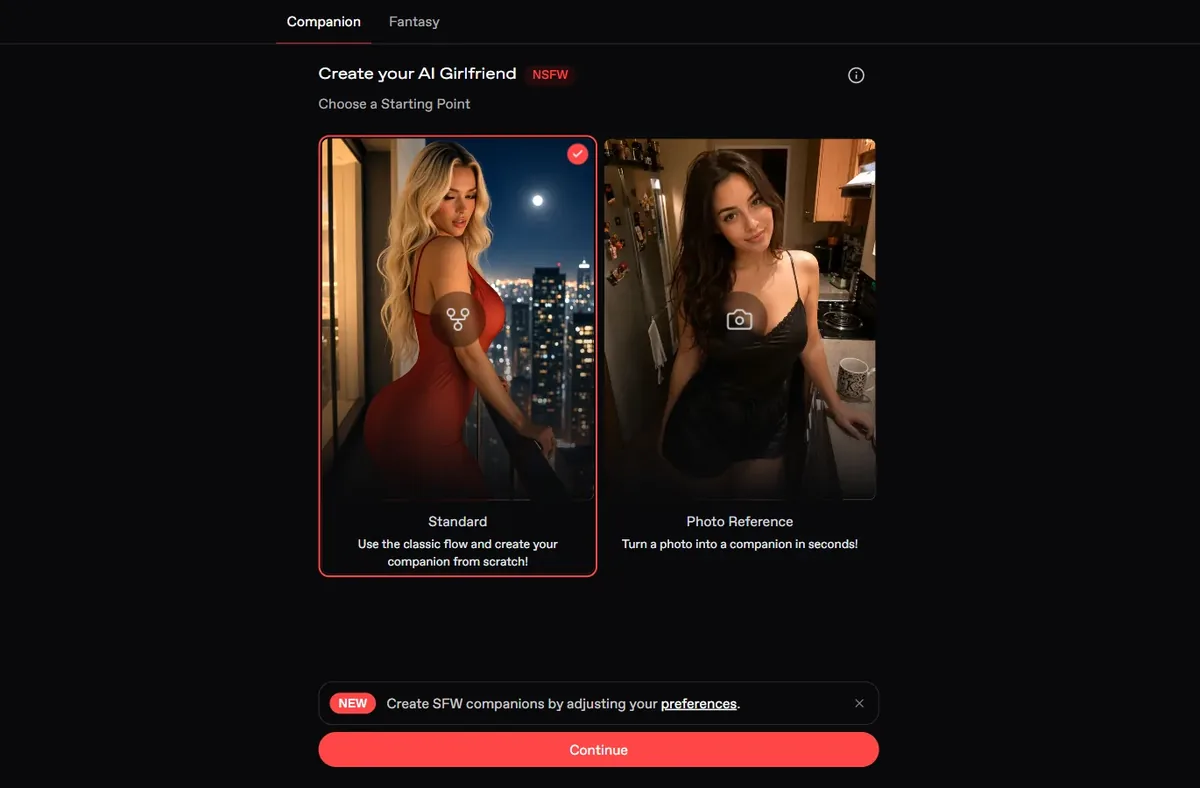
Open the builder from the plus button in the left menu. Nectar offers two starting points: Standard, built from scratch, and Photo Reference, which turns a photo into a companion. Pick Standard and press Continue.
This is when the sign-in window appears if you are not logged in. Enter your email, then the six digit code from the message titled Nectar AI login code.
Tip: the code expires after a while; if it does, ask for a new one from the same window rather than starting over.
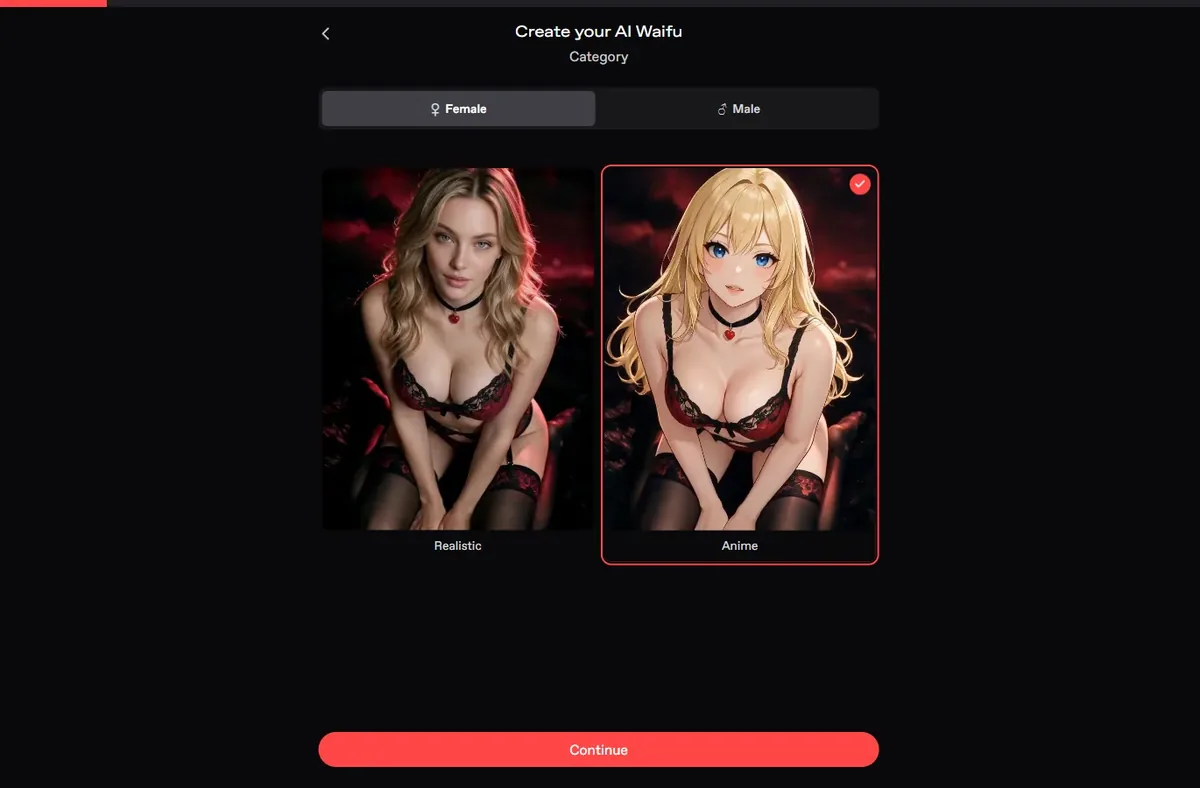
The Category screen asks for Female or Male, then Realistic or Anime, with a drawn preview for each. Click Anime; the page title changes to Create your AI Waifu.
The anime choice changes every preview that follows, so check it before you continue. Then press Continue.
Tip: if you plan a male character later, remember the free account keeps a single companion; choose carefully which one you build first.
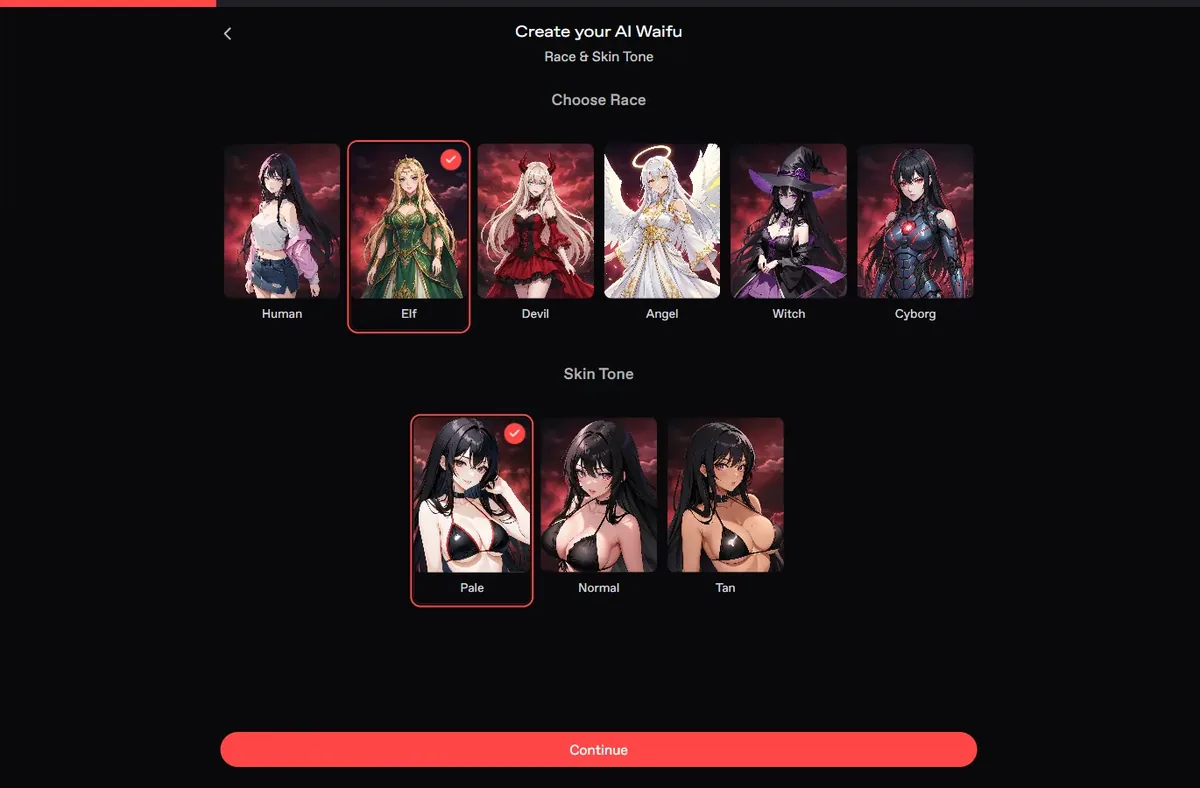
Six races with drawn previews: Human, Elf, Devil, Angel, Witch and Cyborg. Below them, three skin tones: pale, normal and tan. We picked Elf with pale skin.
This is Nectar's best screen. A succubus starts with Devil, an android with Cyborg, a gothic sorceress with Witch, a celestial character with Angel. The previews show outfits such as bikinis; with NSFW off, they stay covered.
Tip: the race sets more than ears or horns; it shapes the whole drawing. Try two races before you settle, the previews update instantly.
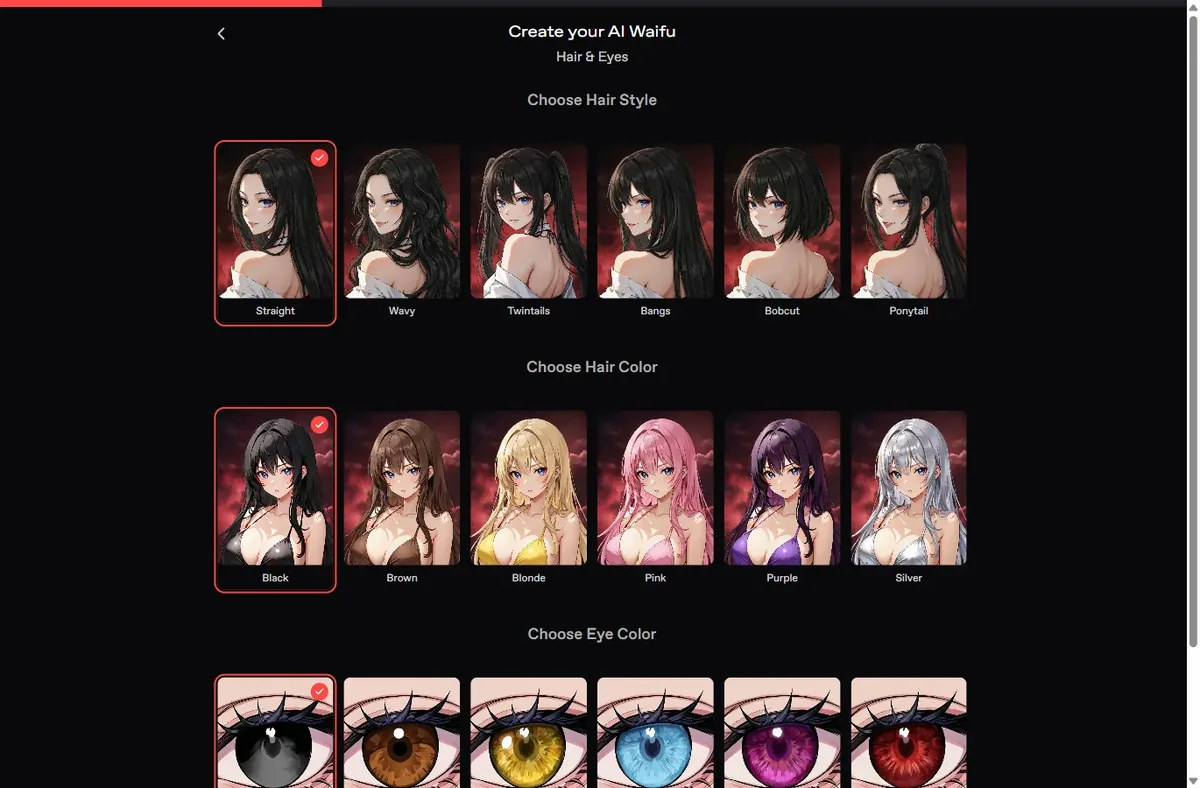
Six hair styles (Straight, Wavy, Twintails, Bangs, Bobcut, Ponytail), six hair colors (Black, Brown, Blonde, Pink, Purple, Silver) and six eye colors (Black, Brown, Yellow, Blue, Purple, Red).
Silver hair and blue eyes suit an elf; black hair and red eyes a vampire or a devil; purple hair and yellow eyes a witch. Twintails read young on many characters; for an adult look prefer straight or wavy hair.
Tip: write any detail the swatches cannot give, freckles, a scar, gradient hair, in the physical traits field of Advanced Options on the next screen; it adds the details the presets cannot give.
Four choices: Petite, Athletic, Hourglass and Curvy. We recommend Athletic, Hourglass or Curvy for an adult character; we changed our first Sylvaine from Petite to Hourglass on the result card for that reason.
The body type shows in every picture you will ask for, so it is worth a moment here.
Tip: the result card lets you change the body type after the first portrait, so if the drawing does not match your idea, switch here and use Reroll appearance instead of rebuilding. Body and age are the two settings we changed most often.
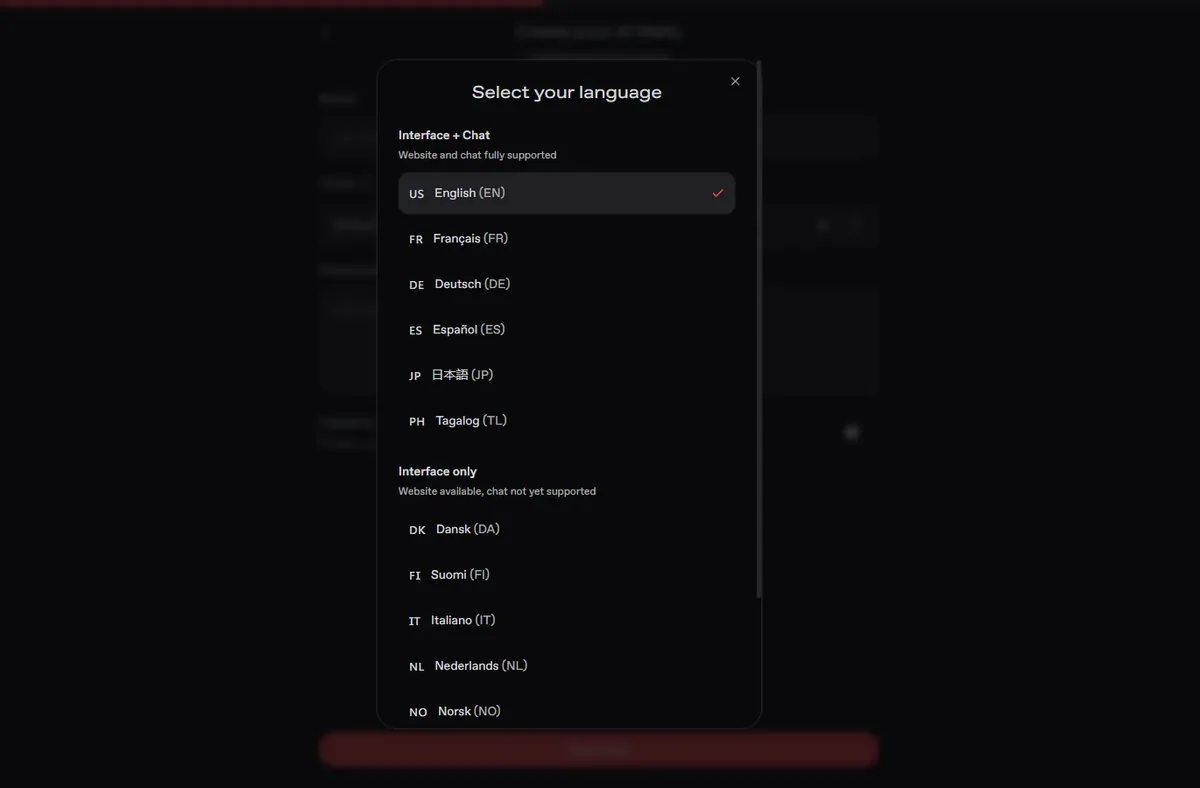
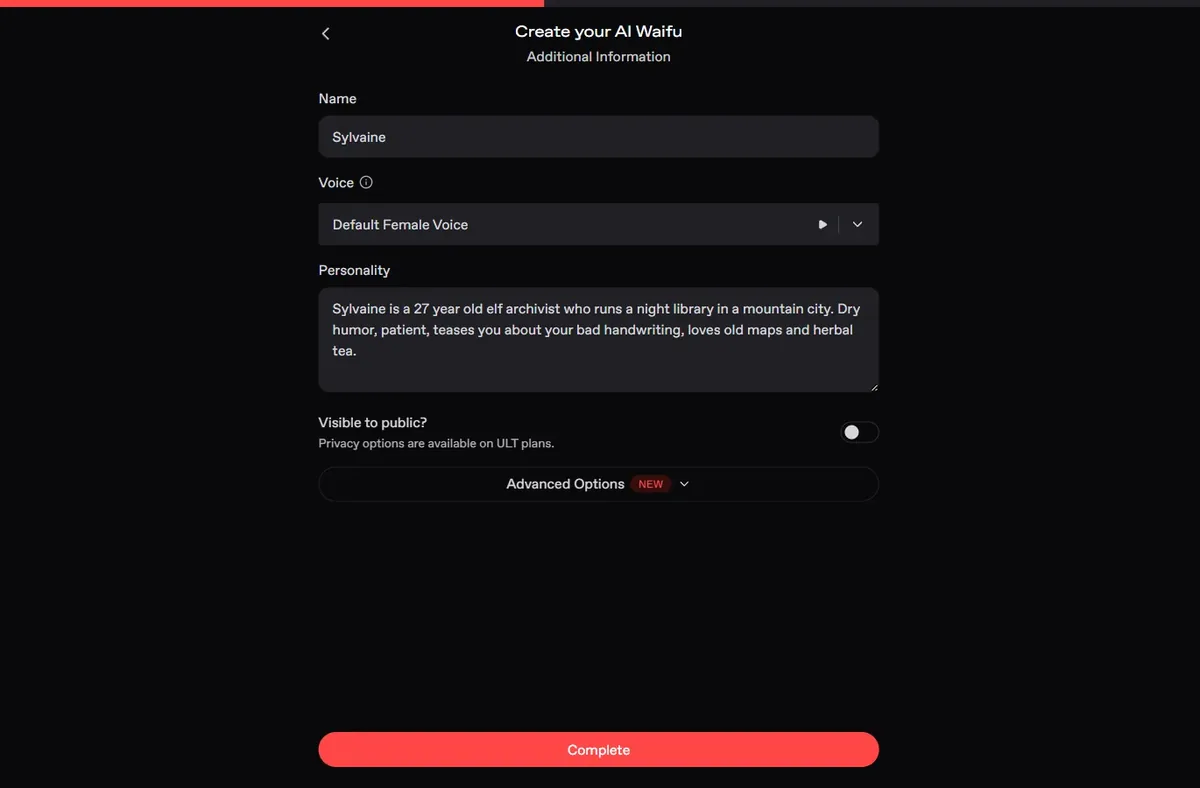
Additional Information asks for a name, a voice (with a preview button), a personality written in your own words and whether she is visible to the public; privacy options are part of the Ultimate plan. Advanced Options add physical traits, a greeting, a greeting image or video, tags and an author comment.
The personality box is the most important field of the whole builder. We wrote: an elf archivist who runs a night library in a mountain city, dry humor, patient, teases you about your handwriting, loves old maps and herbal tea. Her first message was built entirely from that paragraph.
Tip: three traits, a job and a setting are enough. Write the greeting yourself if you want to control the opening scene.
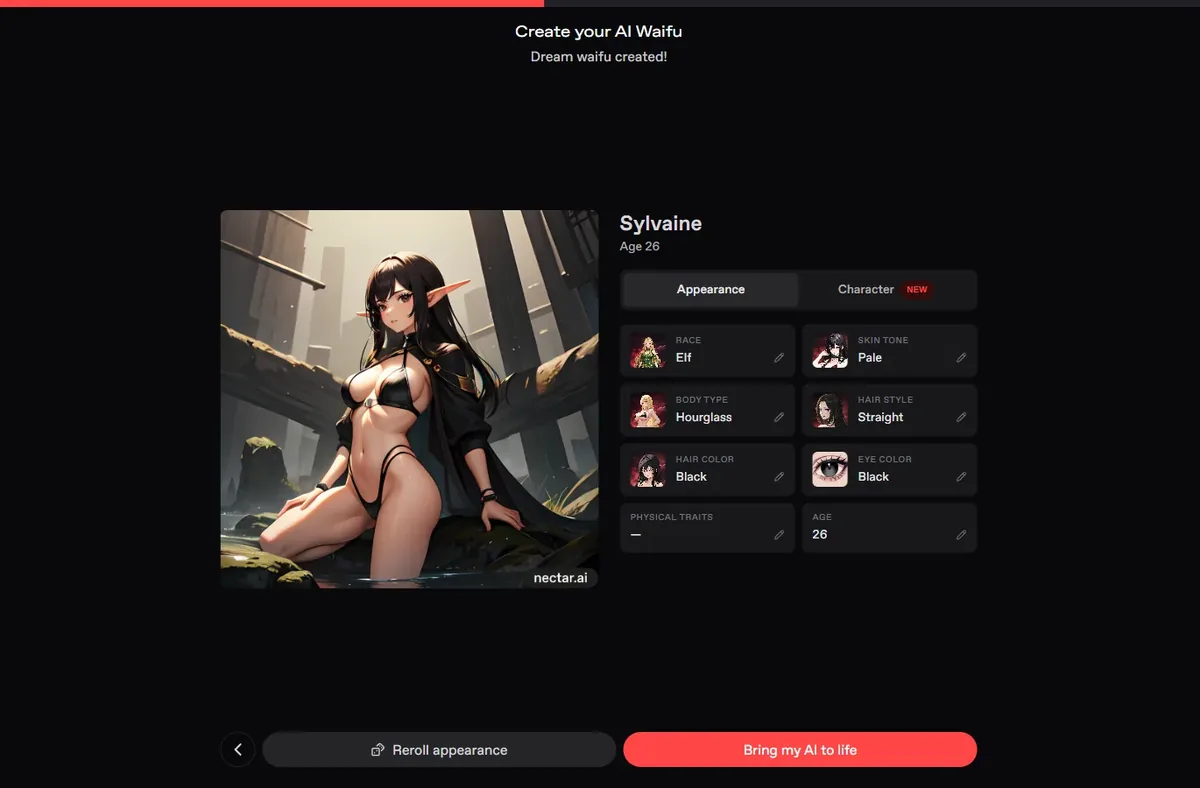
Press Complete. The result card shows Dream waifu created!, her portrait, and every choice with a pencil: race, skin tone, body type, hair style, hair color, eye color, physical traits and age.
The age starts at 18 by default. Use the pencil and raise it to 21 or more before anything else; we set Sylvaine to 26. Then use Reroll appearance to redraw her with the corrected settings, and Bring my AI to life to open the chat.
Tip: the card is also where you fix anything later, without building a new character, which matters on a free account limited to one.
 Build on Nectar AI
Her chat opens on the greeting she wrote from your personality text. Sylvaine set the scene herself: the oak door of the night library, a map spread on her desk, a cup of tea pushed toward the empty chair. Answer inside that scene and she will keep it going.
The panel on the right holds Memory, Persona, Models, Writing style, image and video model versions, Speech and Appearance. On a free account the model is Basic Roleplay and the counter shows 0 credits. A camera button sends a photo request; the free account gets one, which arrived in about half a minute.
When the free messages run out, a Message limit reached window offers the Ultimate plan. With it you get unlimited messages, 5,000 credits a month, long-term memory, video, voice messages and calls: 1 credit per second for voice, 2 for video, after generating an avatar.
A good way to use the few free messages: answer her opening in character, ask one question that matters to the story, and request the free photo with a short scene description. That tells you whether her voice and her look are worth the Ultimate plan, which is what the free account is for.
Exact builder settings, then the personality text to paste.
Building a character costs nothing, and so do the first few messages and one photo. After that, Nectar has a single plan, Ultimate: $12.99 a month, or $59.99 a year, which is $4.99 a month, with 2,500 bonus credits in the first month of the yearly plan. Ultimate includes 5,000 credits a month for calls, premium models and extras. You cannot buy credits without a subscription.
| What | Cost |
|---|---|
| Building a character | Free |
| First messages and 1 photo | Free |
| Ultimate, yearly | $4.99 a month ($59.99 a year) |
| Ultimate, monthly | $12.99 |
| Voice call / video call | 1 / 2 credits per second |

Written by
Wren Ashby @wrenashby
Anime fan from the Pacific Northwest who has spent the last couple of years testing AI girlfriend apps. Builds a character on every platform before writing a word about it.
How we testYes. Building costs no credits; a free account keeps one character and gets a few free messages and one photo.
18 is the default on the result card. Use the pencil on Age to raise it; we set Sylvaine to 26.
Yes. The race step offers Elf, Devil, Angel, Witch and Cyborg next to Human, each with an anime preview.
Your character is not public by default. Switching between public and private is an Ultimate option.
1 credit per second for voice calls and 2 credits per second for video calls, from the 5,000 monthly credits of Ultimate.
Yes. Every choice on the result card has a pencil, and Reroll appearance redraws her with the new settings.
Elf, angel or cyborg: build yours for free on Nectar AI.
Build on Nectar AI Try OurDream free, 55 coins included
Our number one pick gives you 55 coins at sign-up, no card needed. Build your own anime girlfriend in six steps.
Open OurDream